1win is one of the few offshore casinos accessible from Canada that offers genuine native apps on both Android and iOS — not browser wrappers, not progressive web apps, but dedicated applications with push notifications, biometric login, local caching, and performance that the browser version cannot fully match. A desktop app for Windows and macOS is also available, making 1win one of the most comprehensively app-supported platforms in the Canadian offshore market.
The full platform is accessible through every app — 13,000+ casino games, the exclusive 1win Games section (Aviator, Lucky Jet, Plinko, JetX, Speed Cash, Mines), the sportsbook with 40+ sports and live betting, the cashier with Interac and crypto, and account management including KYC verification. There is no feature available on the website that is missing from any of the apps.
| Platform | Availability | System Requirement |
|---|---|---|
| Android | APK download from 1win website | Android 6.0+ · ~80–100 MB |
| iOS | App Store | iOS 12.0+ · ~90 MB |
| Windows | Desktop app from 1win website | Windows 10+ |
| macOS | Desktop app from 1win website | macOS 10.14+ |
| Browser | Any modern browser — no download | Chrome, Safari, Firefox, Edge |
The same 1win account and login credentials work across all five access points. An account created on the website works in the Android app, the iOS app, the desktop app, and the browser — with balance, bonuses, betting history, and settings syncing in real time across every device.
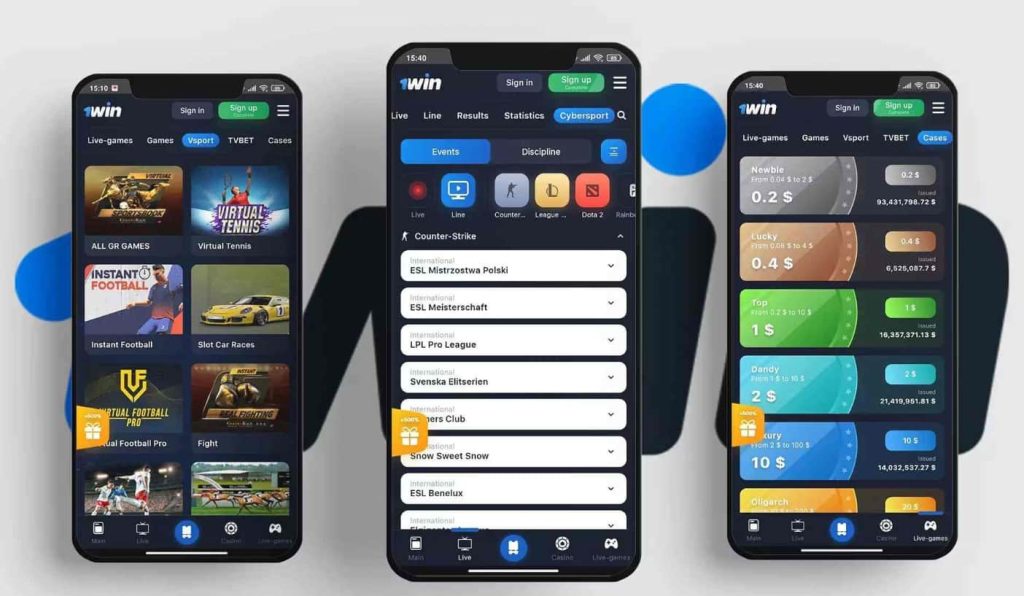
1win Android — APK Download and Installation
The 1win Android app is not available on Google Play. Google restricts real-money gambling applications in most markets, including Canada, which means the app is distributed as an APK file downloaded directly from the 1win website. This is standard practice for offshore casino apps — Stake, 1xBet, and the majority of Curaçao-licensed platforms that offer Android apps use the same distribution method.
How to download and install
- Open Chrome or any browser on the Android device and go to the 1win website
- Locate the 1win app download section — typically accessible from a banner on the homepage or through the main menu under “Mobile App” or “Download”
- Tap the Android download button — the APK file begins downloading immediately
- If the browser displays a security warning about downloading from an unknown source, confirm the download — this is the standard Android response to any file not originating from Google Play
- Once downloaded, open the APK file from the notification bar or the Downloads folder
- If prompted, enable installation from unknown sources — the path varies by Android version but is generally Settings → Security → Install Unknown Apps → allow for the browser used to download
- Follow the installation prompts — the process takes 10–15 seconds
- Open the app, log in with existing credentials or register a new account, and optionally enable biometric login for future sessions
The entire process from opening the browser to launching the app takes under three minutes. The permission to install from unknown sources can be revoked after installation if preferred — the app does not need it to function after the initial install.
Updates
The 1win official app handles updates internally. When a new version is available, a prompt appears within the app offering to download and install the update directly — no need to revisit the website, re-download manually, or check for updates through any external channel. The update process mirrors the initial installation: download the new APK, install over the existing version, and continue with all account data and settings intact.
APK safety — what to download and what to avoid
The APK should only be downloaded from the official 1win website. Searching “1win APK download” returns results from third-party sites that host APK files of unknown origin and unknown modification. The risks are concrete:
- Modified APKs can contain malware that captures login credentials, banking information, or personal data stored on the device
- Fake apps can simulate the 1win interface while redirecting deposits to accounts that have no connection to the real platform
- Outdated versions hosted on third-party sites may contain security vulnerabilities that have been patched in the current official release
The rule has no exceptions: if the domain is not 1win.com or its official regional equivalent, the APK should not be downloaded. The convenience of a third-party mirror is not worth the risk of installing a file that cannot be verified.
1win iOS — App Store Installation
The 1win iOS app is available through the App Store — a straightforward download without the sideloading process that Android requires. For Canadian players with an iPhone or iPad, this is the most frictionless path to getting the 1win official app installed.
How to download and install
- Open the App Store from the home screen
- Search for “1win” — verify the developer name matches the official operator before downloading
- Tap “Get” and authenticate with Apple ID, Face ID, or Touch ID if prompted
- The app downloads and installs automatically — typically under 30 seconds on a stable connection
- Open the app, log in with existing credentials or register a new account
- Enable biometric login (Face ID or Touch ID) when prompted — this replaces the email/password entry for every future session
If the 1win app does not appear in the Canadian App Store
App Store availability for gambling applications can vary by region and by Apple’s current enforcement policies. If “1win” does not return results in the Canadian App Store, two alternatives provide the same functionality:
- Browser version — open Safari and go to 1win.com. The mobile browser version provides access to the full platform — every game, the sportsbook, the cashier, and account management — without any download. Adding the site to the home screen through Safari’s share menu (“Add to Home Screen”) creates an icon that opens 1win in a single tap, visually indistinguishable from a native app.
- Region adjustment — some players report success by checking whether the app is available under a different App Store region setting. This is not a recommended workaround for most players, as changing App Store regions affects other purchases and subscriptions tied to the Apple ID.
The browser version is the practical fallback if the App Store download is not available. It lacks push notifications and biometric login, but every other feature — the full 13,000+ game catalogue, 1win Games, live betting, Interac deposits and withdrawals — functions identically to the native 1win bet app.
iOS-specific considerations
Two details worth noting for iPhone and iPad users:
- Storage — the app requires approximately 90 MB, which is modest compared to most gaming apps. Game content is streamed from the server rather than stored locally, so the app size does not increase with usage.
- Notifications — iOS requires explicit permission for push notifications during the first launch. Granting permission enables alerts for bet results, bonus availability, and promotional offers. Denying permission means the app functions normally but without background alerts — a setting that can be changed later in iOS Settings → Notifications → 1win.
Desktop 1win app — Windows and macOS
1win extends the native app experience to desktop with dedicated applications for both Windows and macOS — a rarity in the offshore casino market where the desktop browser is typically the only option. For players who keep 1win open during extended sessions — alternating between the sportsbook during an NHL game and slots during intermissions — a dedicated desktop app provides a cleaner separation than a browser tab competing with email, social media, and everything else open on the computer.
How to download and install
- Go to the 1win website on the desktop computer
- Navigate to the app download section — the desktop options are listed alongside the mobile downloads
- Select Windows or macOS depending on the operating system
- Download the installer file — .exe for Windows, .dmg for macOS
- Run the installer and follow the standard prompts — Windows may display a SmartScreen warning for apps downloaded outside the Microsoft Store; macOS may require allowing the app in System Preferences → Security & Privacy
- Launch the app, log in with existing 1win credentials, and the full platform loads in a dedicated window
What the desktop app provides over the browser
The functional differences are subtle but accumulate over longer sessions:
- Dedicated window — the platform runs independently from the browser, which means closing browser tabs, clearing cookies, or updating the browser does not interrupt an active session. For players who have lost a live bet because a browser update restarted Chrome mid-game, this separation has practical value.
- Local caching — interface elements load from the local drive rather than the server on every page change. Navigation between casino, sportsbook, cashier, and account settings is marginally faster than the browser equivalent, where each section triggers a partial page reload.
- System tray presence — the app 1win can run in the background and surface notifications without occupying a visible browser tab. On Windows, it sits in the system tray. On macOS, in the menu bar. In both cases, the app is accessible with a single click without switching between browser tabs.
- Stability over long sessions — browsers accumulate memory usage over multi-hour sessions with multiple games loaded and unloaded. The desktop app manages its own memory more efficiently than a browser tab that shares resources with every other open tab and extension.
The desktop 1win bet app does not offer features that the browser version lacks — the game catalogue, sportsbook, cashier, and account management are identical. What it offers is a more stable, faster, and self-contained environment for players whose typical session lasts longer than 30 minutes or who prefer their casino and sportsbook experience in a dedicated application rather than a browser tab.
Browser — The Universal Alternative
For players who prefer not to install anything — or who are evaluating the platform before committing to a download — the browser version at 1win.com delivers the complete platform without any installation. Every game, every sport, every payment method, every account function works in the browser exactly as it does in the apps. The browser is not a fallback — it is the full product accessed through a different door.
When the browser makes more sense than the 1win app
Not every player needs a native app, and in several scenarios the browser is the better choice:
- First-time visitors testing the platform before deciding whether to stay. Creating an account, making a first deposit, playing a few sessions, and requesting a test withdrawal can all be completed in the browser without downloading anything. If the platform works well, the app can be installed afterwards. If it does not, nothing needs to be uninstalled.
- Players on shared or workplace devices where installing a casino app is either impractical or unwanted. The browser leaves no permanent trace beyond cookies and history, both of which can be cleared in seconds.
- Android users uncomfortable with APK sideloading. Enabling installation from unknown sources and downloading files outside of Google Play is a routine process for millions of users, but for those who prefer to keep their device locked to the Play Store, the browser eliminates the question entirely.
- Temporary access situations — a borrowed phone, a hotel computer, a tablet that is not the primary device. The browser works without setup and leaves no application behind.
Home screen shortcut — the middle ground
For players who want app-like convenience without the app itself, adding 1win to the home screen creates a shortcut that opens the platform in a single tap — no URL to type, no bookmarks to search through. On Safari (iOS), this is done through the share menu and “Add to Home Screen.” On Chrome (Android), through the three-dot menu and “Add to Home screen.” The resulting icon looks and behaves like an app on the home screen, but opens the browser version underneath.
This approach provides one-tap access and a dedicated icon without the push notifications, biometric login, or local caching that the native apps offer. For players who open 1win once or twice a week rather than daily, the home screen shortcut delivers 90% of the app convenience with none of the installation.
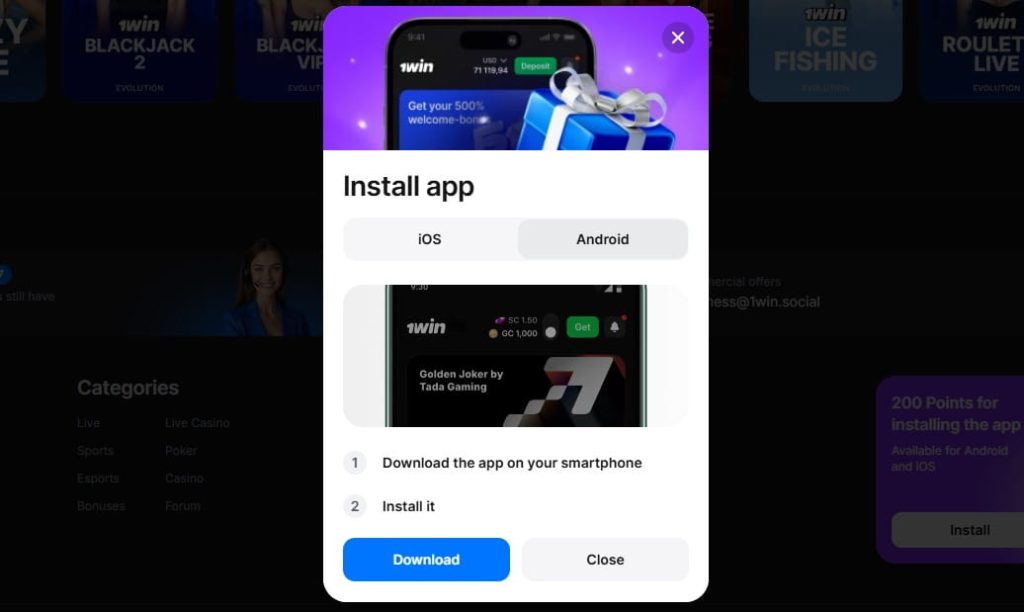
1win app vs. Browser — What You Actually Get
The differences between the 1win app and the browser version are not about features — both provide access to the same 13,000+ games, the same sportsbook, the same cashier, and the same account management. The differences are about how the platform performs and how it integrates into daily use.
| Aspect | Native App (Android / iOS / Desktop) | Browser |
|---|---|---|
| Push notifications | Yes — bet results, bonus alerts, promotional offers delivered in the background | Not available — must open the site to check |
| Biometric login | Fingerprint, Face ID, Touch ID — one touch to open | Not available — email and password every session |
| Load speed | Faster — interface elements cached locally, navigation between sections is near-instant | Dependent on connection — each section triggers a partial page reload |
| Offline access | Limited — account info, bet history, and settings viewable without connection | None — requires an active connection to load any content |
| Game catalogue | Full — 13,000+ titles, 1win Games, live casino | Full — identical |
| Sportsbook | Full — live betting, cash out, match tracker, statistics | Full — identical |
| Deposits and withdrawals | All methods — Interac, cards, crypto | All methods — identical |
| Background operation | Runs in the background — sportsbook updates and notifications continue without the app being open | Stops when the tab is closed or the browser is backgrounded |
| Storage required | 80–100 MB (mobile) · varies (desktop) | None — runs in the browser |
| Updates | Handled within the app — Android prompts for APK update, iOS updates through the App Store | Automatic — always the latest version |
| Device compatibility | Android 6.0+ / iOS 12.0+ / Windows 10+ / macOS 10.14+ | Any device with a modern browser |
| Installation | Required — APK sideload for Android, App Store for iOS, installer for desktop | None |
Where the app makes a measurable difference
Two use cases where the app 1win is noticeably better than the browser rather than marginally better:
The first is live sports betting. Push notifications for bet results mean the sportsbook works in the background throughout an NHL game without requiring the app to stay open on screen. A player who places a puck line bet in the first period can lock the phone, watch the game on TV, and receive a notification when the bet settles — rather than reopening the browser every ten minutes to check. Over a full evening of hockey with multiple bets across different games, the difference between passive notifications and active checking is substantial.
The second is session frequency. For players who open 1win multiple times per day — a few rounds of Aviator during a morning commute, checking odds at lunch, playing slots in the evening — biometric login eliminates the email-and-password entry that the browser requires every time. Each individual login saves 15–20 seconds. Across three or four daily sessions, that is a minute of friction removed every day — a small number that feels larger than it sounds when the alternative is typing credentials on a phone keyboard.
Where the browser is equal or better
For players who access 1win once or twice a week for a single session, the app’s advantages shrink to the point where the installation may not justify itself. The browser always runs the latest version without update prompts, leaves no permanent installation on the device, and works on any hardware without compatibility requirements. A weekly player who sits down for an hour-long session on a laptop gets an experience in the browser that is functionally indistinguishable from the desktop app — the speed differences and background features only matter at higher session frequencies.
1win Games on the App — Aviator, Lucky Jet, Plinko and More
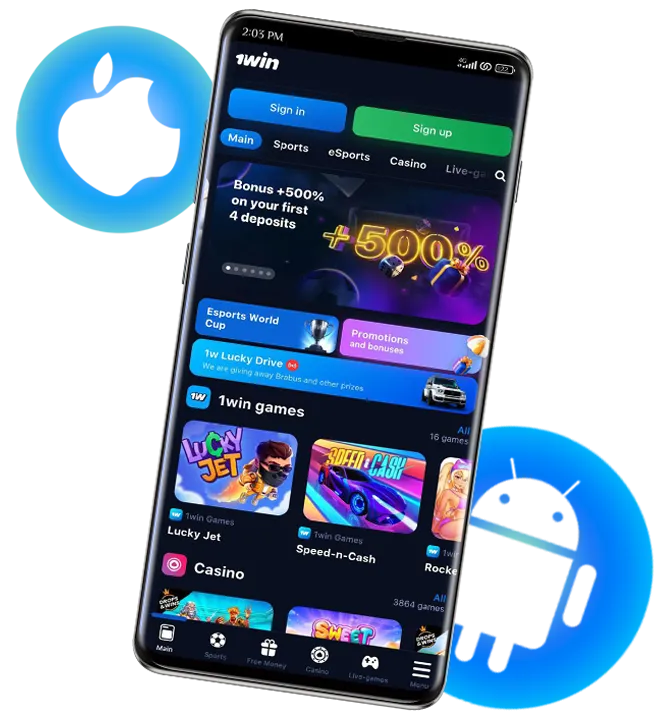
The exclusive 1win Games section is where the app delivers its most distinctive experience — because these titles are designed for the kind of fast, repetitive play that mobile handles better than desktop. Rounds last seconds, inputs are limited to a bet amount and a single decision, and the gap between rounds is negligible. The format is built for the way people actually use their phones — short bursts of activity between other things, not hour-long sessions requiring a desk and a large screen.
All 1win Games titles are fully accessible in the Android app, iOS app, and browser version with identical mechanics and identical outcomes. The app does not run a different version of any game — the same server-side logic produces the same results regardless of how the player accesses the platform.
Push notifications and 1win Games
One practical integration worth noting: the 1win bet app can surface notifications related to 1win Games promotions — bonus offers on specific titles, tournament entries, or increased multiplier events. These notifications arrive in the background without the app being open, which means a player who does not check the promotions page daily can still catch time-limited offers on Aviator or Lucky Jet that would otherwise expire unseen in the browser version.
Troubleshooting — Common 1win app Issues
Most 1win app problems fall into three categories — installation failures, login issues after installation, and performance problems during gameplay. The solutions are nearly always the same: verify the source, update the version, or clear the cache.
Installation issues (Android)
| Problem | Cause | Solution |
|---|---|---|
| APK download blocked by browser | Chrome or the device’s security settings preventing downloads from unknown sources | Tap “Download anyway” when prompted, or switch to a different browser. The security warning is the standard Android response to any file not from Google Play — it is not specific to 1win |
| “App not installed” error | Installation from unknown sources not enabled, or a conflicting older version is still on the device | Enable unknown sources in Settings → Security → Install Unknown Apps → allow for the browser used. If an older version exists, uninstall it first, then install the new APK |
| File downloaded but cannot be found | APK saved to a non-default location or the download notification was dismissed | Check the Downloads folder in the device’s file manager. If absent, re-download from the 1win website |
| Installation completes but app crashes on launch | Device does not meet the minimum requirement (Android 6.0) or insufficient storage | Verify the Android version in Settings → About Phone. Free up storage if the device is near capacity — the app requires approximately 80–100 MB |
Installation issues (iOS)
| Problem | Cause | Solution |
|---|---|---|
| App not found in the App Store | Regional availability restrictions or search indexing delay | Try searching by developer name instead of app name. If still unavailable, use the browser version at 1win.com with a home screen shortcut as a functionally equivalent alternative |
| Download stuck or failing | Unstable connection or insufficient iCloud/device storage | Switch to a stable Wi-Fi connection, verify available storage in Settings → General → iPhone Storage, and retry |
Login issues in the app
| Problem | Cause | Solution |
|---|---|---|
| Credentials not accepted despite being correct on the website | Outdated app version with an expired authentication flow | Update to the latest version — Android: download the newest APK from the 1win site. iOS: update through the App Store |
| Biometric login stopped working | OS update changed security permissions, or biometric data was re-enrolled on the device | Open the app, log in manually with email and password, then re-enable biometric login in the app settings |
| 2FA code not accepted | Time sync mismatch between the device and the server | Ensure the device clock is set to automatic — Settings → General → Date & Time → Set Automatically (iOS) or Settings → System → Date & Time → Automatic (Android). A manual time offset of even a few minutes causes 2FA codes to fail |
| “Session expired” immediately after login | Corrupted cached session data | Clear the app cache — Android: Settings → Apps → 1win → Clear Cache. iOS: delete and reinstall the app (iOS does not expose app-level cache clearing) |
Performance issues
- Games loading slowly — check the connection speed. 1win Games and slots stream content from the server, so a weak connection produces slow load times regardless of the device. Switch from mobile data to Wi-Fi if available, or move to a location with stronger signal.
- Live casino stuttering or freezing — live dealer tables require a stable connection of 5 Mbps or higher for smooth streaming. If the stream consistently buffers, the connection is the bottleneck, not the app. Closing background apps that consume bandwidth — video streaming, large downloads, cloud backups — can free up enough capacity to stabilise the stream.
- App consuming excessive battery — extended sessions with live casino streaming or rapid-fire 1win Games rounds draw more power than casual slot play. This is normal behaviour, not a malfunction. Reducing screen brightness, closing other apps, and playing while connected to a charger during longer sessions are the practical mitigations.
- Notifications not arriving — verify that notifications are enabled both in the device settings (Settings → Notifications → 1win) and within the app’s own notification preferences. On Android, battery optimisation can suppress background notifications — exempting the 1win app from battery optimisation (Settings → Battery → 1win → Don’t optimise) ensures notifications arrive reliably.
Conclusion
1win offers something that most offshore casinos accessible from Canada do not — a genuine native app on every platform. Android, iOS, Windows, macOS, and browser. Five access points, one account, full platform parity across all of them. In a market where “mobile experience” usually means a responsive website and nothing more, the 1win app lineup is a legitimate differentiator.
The practical value of the 1win app over the browser concentrates in two areas. For live sports bettors, push notifications transform the sportsbook from something that requires active checking into something that works passively in the background — bet results, odds changes, and promotional alerts arrive without the app being open. For frequent players who access 1win multiple times per day, biometric login removes the credential entry that the browser demands every session — a friction point that is small individually but cumulative over weeks and months of daily use.
The Android installation requires a 1win APK download from the 1win website rather than from Google Play — a process that is standard for offshore casino apps but unfamiliar to players who have never installed anything outside the Play Store. The step-by-step walkthrough above covers it in full, and the critical point remains the same: download only from the official 1win website. Third-party APK sources introduce risks that range from outdated software to outright malware, and no convenience of an alternative mirror justifies that exposure.
For players who prefer not to install anything, the browser version provides the complete platform without compromise — every game, every sport, every payment method, every account function. The home screen shortcut bridges the gap between browser convenience and app-like access for players whose session frequency does not justify a full installation. And for players who try the browser first and later decide the 1win bet app is worth installing, the transition is seamless — same credentials, same account, same balance, nothing to migrate.
Frequently Asked Questions
Does 1win have an app for Canadian players?
Yes. 1win offers native apps for Android (APK download from the website), iOS (App Store), Windows, and macOS. All four apps provide full access to the 13,000+ game catalogue, the 1win Games exclusive section, the sportsbook with 40+ sports, and every payment method including Interac and cryptocurrency. The same account and credentials work across all apps and the browser version.
How do I download the 1win app on Android?
Go to the 1win website in your mobile browser, navigate to the app download section, and download the APK file. Enable installation from unknown sources in the device settings if prompted, then open the APK to install. The process takes under three minutes. The app is not available on Google Play — this is standard for offshore casino apps in Canada, not specific to 1win. Only download the APK from the official 1win website — third-party sources may distribute modified files.
Is the 1win app available on the App Store?
The 1win iOS app is available through the App Store in supported regions. If the app does not appear in the Canadian App Store, the browser version at 1win.com provides identical functionality and can be added to the home screen as a shortcut through Safari’s share menu.
Is it safe to download the 1win APK?
The APK downloaded from the official 1win website is the legitimate application. The risk comes from APK files hosted on third-party sites — these can contain malware, capture login credentials, or redirect deposits to fraudulent platforms. The safety rule is simple: download exclusively from the 1win website. If the domain is not 1win.com or its official regional equivalent, do not install the file.
What is the difference between the 1win app and the browser?
The game catalogue, sportsbook, payment methods, and account features are identical. The app adds push notifications (bet results, bonus alerts, promotions delivered in the background), biometric login (fingerprint, Face ID, Touch ID), faster navigation through local caching, and background operation. The browser always runs the latest version without updates, leaves no installation on the device, and works on any hardware with a modern browser.
How do I update the 1win app?
On Android, the app prompts for updates internally — a notification appears within the app when a new version is available, and the update downloads and installs directly without revisiting the website. On iOS, updates come through the App Store like any other app. Desktop apps update through the same internal prompt as Android.
Can I use the app without downloading anything?
Yes. The browser version at 1win.com provides the complete platform — every game, every sport, every payment method — without any download or installation. Adding the site to the phone’s home screen creates a one-tap shortcut that functions like an app without the installation. This is the recommended approach for players who want to evaluate the platform before committing to a download, or who prefer not to install casino apps on their device.