The 1win login gives access to the full platform through a single set of credentials — 13,000+ casino games, the 1win Games exclusive section, the sportsbook with 40+ sports, the cashier, active bonuses, account settings, and the VIP Club. The same login works across every access point — desktop browser, mobile browser, Android app, and iOS app. One account, one password, everything accessible from the same dashboard regardless of device.
| Detail | Info |
|---|---|
| Login methods | Email/phone + password, or social media login |
| Two-factor authentication | Available — recommended |
| Mobile login | Same credentials — browser, Android app, iOS app |
| Registration time | Under 3 minutes |
| Minimum deposit to play | CA$20 |
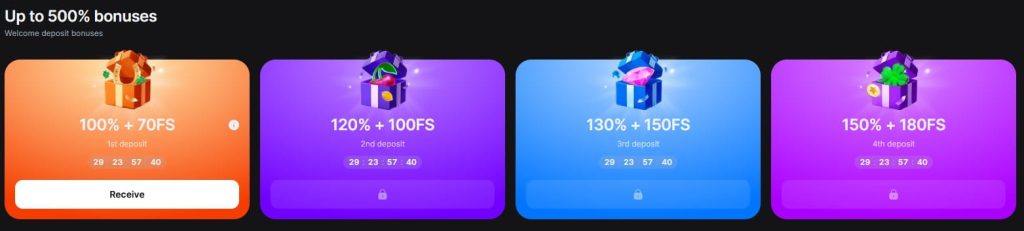
| Welcome bonus | Up to 500% across four deposits — activates automatically |
| Support if locked out | 24/7 live chat + email |
How to Log In to 1win
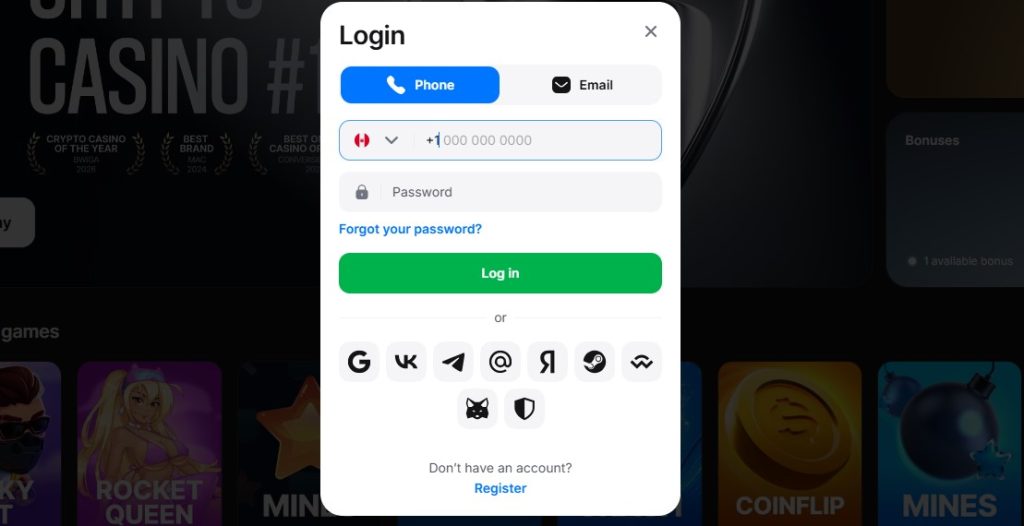
The login process is the same regardless of how you access the platform — desktop browser, mobile browser, Android app, or iOS app. Credentials entered during registration work everywhere without device-specific setup.
Desktop and mobile browser
- Go to the 1win website — the Canadian version loads by default based on location
- Click “Log in” in the top right corner
- Enter the email address or phone number used during registration
- Enter the password
- Complete the two-factor authentication step if enabled — a verification code sent to the registered phone or email
- The dashboard loads with full access to casino, sportsbook, 1win Games, cashier, and account settings
Android and iOS app
- Open the 1win app
- Tap “Log in”
- Enter the same email/phone and password used on the website — there are no separate app credentials
- Complete the 2FA step if enabled
- Optionally, enable biometric login (fingerprint or Face ID) after the first successful login — subsequent sessions open with a touch instead of typing credentials
Biometric login is the practical advantage of the app over the browser. After enabling it once, every future session starts with a fingerprint or face scan instead of entering an email and password. For players who open 1win multiple times per day — checking a live bet, playing a few rounds of Aviator during a break, depositing before an NHL game — the time saved per login adds up.
Social media login
1win supports login through social media accounts — the specific platforms available are displayed on the login screen. This method only works if the account was originally registered through that social media option. An account created with email cannot be accessed through social login, and vice versa.
Staying logged in
The app maintains persistent login sessions — once authenticated with biometrics enabled, the app remains accessible until the player logs out manually or the session expires due to extended inactivity. The browser version maintains sessions through cookies, with the duration depending on browser settings and whether the player closes the browser completely between visits.
On personal devices, persistent sessions are a convenience. On shared or public devices, they are a risk — always log out manually and clear browser data after playing on a device that anyone else has access to.
Don’t Have an Account? 1win register
Players arriving at this page searching for the 1win login often do not have an account yet — they have seen the platform, decided to try it, and are looking for the entry point. Registration takes under three minutes and can be completed through the website or directly in the app.
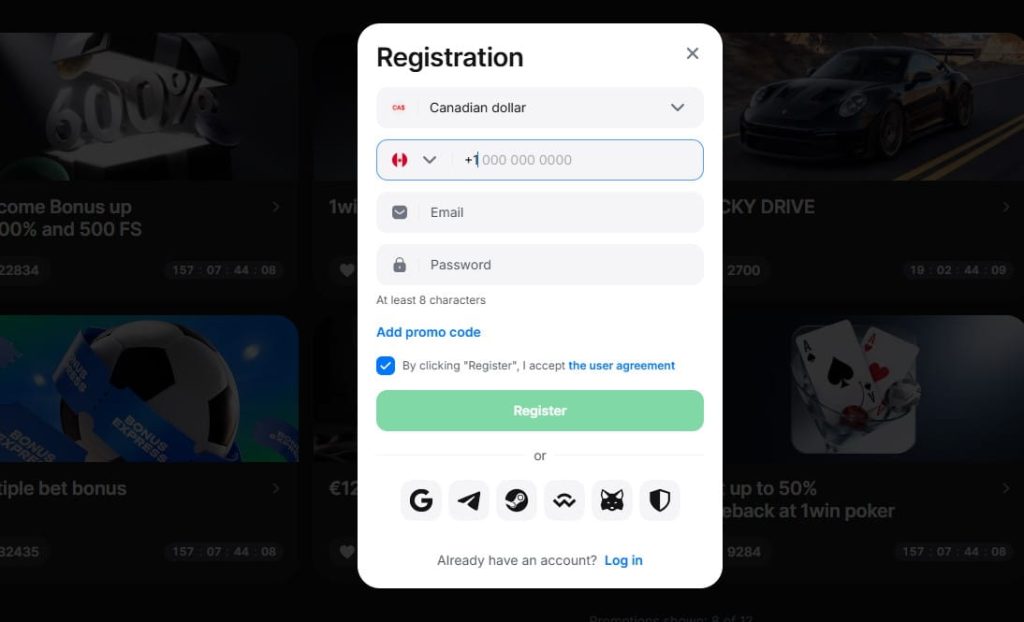
- Go to the 1win website or open the app and tap “Registration” in the top right corner
- Choose a registration method — email, phone number, or social media. Email provides the most control over account recovery and is the recommended option
- Enter personal details — full name, date of birth, email address, phone number, and residential address
- Select CAD as the account currency — this is permanent and cannot be changed after account creation. Choosing a different currency means paying a conversion spread on every deposit and withdrawal
- Create a strong password — unique to 1win, not shared with any other service
- Confirm age eligibility — 19+ in most provinces, 18+ in Alberta, Manitoba, and Quebec
- Complete email or phone verification through the link or code received
- Enable two-factor authentication from the account settings — optional but strongly recommended, especially for accounts that will hold balances or use cryptocurrency
- Deposit a minimum of CA$20 via Interac, card, or crypto to activate the welcome bonus automatically — no promo code needed
Use the legal name that matches the ID documents that will be submitted during KYC verification. 1win has received complaints about blocked accounts and withdrawal delays, and a portion of those complaints involve the verification stage. Ensuring that registration details match identification documents exactly eliminates the most common trigger for account-level friction before it has a chance to arise.
1win registration through the app
The process in the Android or iOS app is identical to the website — same fields, same verification steps, same instant bonus activation on first deposit. The app adds the option to enable biometric login immediately after registration, which means the account can be secured with fingerprint or Face ID from the first session without needing to log in through the browser first.
Login Problems and Troubleshooting
Most 1win login issues resolve without contacting support — the five most common problems all have solutions that take less than two minutes.
| Problem | Likely Cause | Solution |
|---|---|---|
| “Incorrect password” error | Typo, caps lock, or password changed since last session | Use the “Forgot Password” link on the login screen — a reset link or code arrives within minutes |
| Reset code not arriving | Email provider filtering casino communications | Check spam, junk, and promotions folders. If the reset was requested via phone, check SMS — delivery can take up to 5 minutes in some cases |
| “Account not found” error | Email or phone number does not match any registered account | Verify the correct email or phone was used — registration may have been completed with a different method. If social media was used at registration, try that login option instead |
| Account locked after failed attempts | Security measure triggered by repeated incorrect entries | Wait 15–30 minutes and try again. If the lock persists, contact live chat — available 24/7 — to have it removed manually |
| App not accepting credentials | Outdated app version or cached session conflict | Update the app to the latest version (Android: redownload APK from the 1win site; iOS: update through the App Store), clear the app cache, and try again |
| 2FA code not working | Code expired or time sync issue between device and server | Request a new code rather than re-entering an expired one. If codes consistently fail, check that the device clock is set to automatic — a manual time offset can cause 2FA codes to fall out of sync |
Password reset — step by step
- Click “Forgot Password” on the login screen — website or app
- Enter the email address or phone number associated with the account
- Check inbox or SMS for the reset code — spam and junk folders if nothing arrives within a few minutes
- Enter the code and create a new password — at least 12 characters, mixing uppercase, lowercase, numbers, and symbols, not used on any other site
- Return to the login screen and log in with the new password
- If 2FA is enabled, the verification step follows the password entry as usual
When to contact support
The password reset process and basic troubleshooting resolve the majority of login issues. Contact 24/7 live chat when the problem sits outside those solutions — specifically when the account appears suspended or restricted, when the registered email and phone number are both inaccessible, when the 1win login screen displays a message about account closure, or when a password reset has been completed successfully but login still fails.
One scenario worth addressing directly given 1win’s complaint history: players who find their account restricted or blocked without prior notification. This is the category of login issue that cannot be self-resolved — it requires direct engagement with support. If live chat cannot provide a clear reason for the restriction or a timeline for resolution, escalating to email creates a documented record of the enquiry that can be referenced in any subsequent follow-up.
Account Security
1win offers two-factor authentication — which puts it ahead of a significant number of offshore casinos accessible from Canada where the password is the only line of defence. Enabling 2FA is optional but the recommendation to activate it is not casual — it is the single most impactful step a player can take to protect an account on any platform, and on 1win specifically, where complaint history includes reports of account-level issues, adding a second verification layer removes one category of risk entirely.
Two-factor authentication
2FA adds a verification code — sent to the registered phone number or email — to every 1win casino login attempt. Even if the password is compromised through a data breach on another service, phishing, or social engineering, the account remains inaccessible without the second factor.
How to enable it:
- Log in to the 1win account
- Open account settings — accessible from the profile menu
- Navigate to the security section
- Enable two-factor authentication and choose the delivery method — SMS or email
- Confirm by entering the test code sent to the selected channel
The setup takes under two minutes. Once active, every login — on browser, Android app, and iOS app — requires the verification code in addition to the password. Biometric login on the app bypasses the manual code entry for convenience while maintaining the underlying 2FA protection on the account level.
Password practices
2FA is the strongest protection available, but the password remains the first barrier and deserves the same attention:
- Use a password unique to 1win — not shared with email, social media, banking, or any other service. A breach on an unrelated platform cannot compromise the 1win account if the password is not reused.
- Make it long and random — 12 characters minimum, mixing uppercase, lowercase, numbers, and symbols. A password manager generates and stores these without the burden of memorising them.
- Change it immediately if any other service where a similar password was used reports a breach, if a password reset email arrives that was not requested, or if any account activity appears that does not match personal play.
Session management
The 1win app maintains persistent sessions with biometric login, which means the account stays accessible without re-entering credentials on a personal device. On shared devices — a family computer, a work laptop, a friend’s phone — this convenience becomes a vulnerability.
- Log out manually after every session on any device that is not exclusively yours
- Clear browser data — cookies, cached logins, saved passwords — after playing on a shared device
- Never save 1win credentials in a browser’s password manager on a device others can access — stored passwords are visible to anyone who opens the browser settings
What to do if the account is compromised
If anything suggests unauthorized access — unrecognised 1win bet login activity, balance changes that do not correspond to personal play, 2FA codes arriving without a login attempt, or password reset emails that were not requested:
- Change the password immediately from a trusted device
- Contact 24/7 live chat to report the suspected unauthorized access and request a temporary account freeze
- Request a review of recent activity — logins, deposits, withdrawals, and gameplay
- If a payment method is linked to the account, contact the payment provider (bank, card issuer, crypto wallet) to flag potential unauthorized transactions
1win’s 24/7 live chat means that account compromise can be reported and acted on at any hour — an advantage over platforms with limited support windows where a breach discovered at midnight cannot be addressed until the next business day.
Conclusion
The 1win login works the same way across every access point — website, mobile browser, Android app, iOS app — with a single set of credentials that opens the full platform. For players who use the app, biometric login reduces every subsequent session to a fingerprint or face scan, which in practice makes the app the most convenient access method for anyone who plays more than once or twice a week.
Two things distinguish the 1win login experience from most offshore competitors accessible from Canada. First, two-factor authentication is available and should be enabled — it is the most effective protection for the account and takes less than two minutes to set up. Second, the platform offers genuine native apps on both Android and iOS, which means login is not limited to opening a browser and navigating to a URL — the app sits on the home screen, maintains a persistent session, and sends push notifications without needing to be open.
For new players who arrived at this page looking for the login and do not yet have an account, registration takes under three minutes and the 500% welcome bonus activates automatically on the first CA$20 deposit — no promo code required. The one step worth completing immediately after registration is KYC verification — upload documents before playing, not after winning. Given 1win’s complaint history around withdrawal-stage account blocks, proactive verification removes the most commonly reported friction point before it has the opportunity to become one.
Frequently Asked Questions
How do I log in to 1win from Canada?
Go to the 1win website or open the app, click “Log in”, enter the email address or phone number used during registration along with the password, and complete the two-factor authentication step if enabled. The same credentials work on desktop browser, mobile browser, Android app, and iOS app without any difference in the process.
Can I log in to 1win on my phone?
Yes. The mobile browser login is identical to desktop — same URL, same credentials, same dashboard. The Android and iOS apps offer the same login with the added option of biometric authentication (fingerprint or Face ID) after the first successful login, which makes subsequent sessions faster than typing credentials in a browser.
Does 1win have two-factor authentication?
Yes. 2FA is available in the account settings and sends a verification code via SMS or email with every login attempt. Enabling it is optional but strongly recommended — it is the most effective protection available for the account and takes less than two minutes to set up.
Can I use the same login on the 1win app and website?
Yes. One set of credentials — email or phone plus password — works across every access point: desktop browser, mobile browser, Android app, and iOS app. There are no separate accounts or device-specific registrations. Account balance, bonuses, betting history, and settings sync across all devices in real time.
How do I create a 1win account?
Click “Registration” on the 1win website or app, choose a registration method (email recommended), enter personal details, select CAD as the currency, create a password, and complete email or phone verification. The process takes under three minutes. The 500% welcome bonus activates automatically on the first deposit of CA$20 or more — no promo code needed. Enable two-factor authentication immediately after registration for account security.
What should I do if someone else accessed my account?
Change the password immediately from a trusted device, contact 24/7 live chat to report the unauthorized access and request a temporary account freeze, and ask for a review of recent account activity. If a payment method is linked to the account, contact the payment provider to flag potential unauthorized transactions. Having 2FA enabled prevents most unauthorized access scenarios from occurring in the first place.